
In this article, we show you how to easily check whether your shop imports Google Fonts or loads fonts from your own server.
- Open the developer console in your browser:
- Windows: Ctrl + Shift + J
- Mac: Cmd + Option + J
- Often also available with "Q" or via the "Inspect" entry in the right-click menu
- Check which resources your shop currently loads
- Chrome:
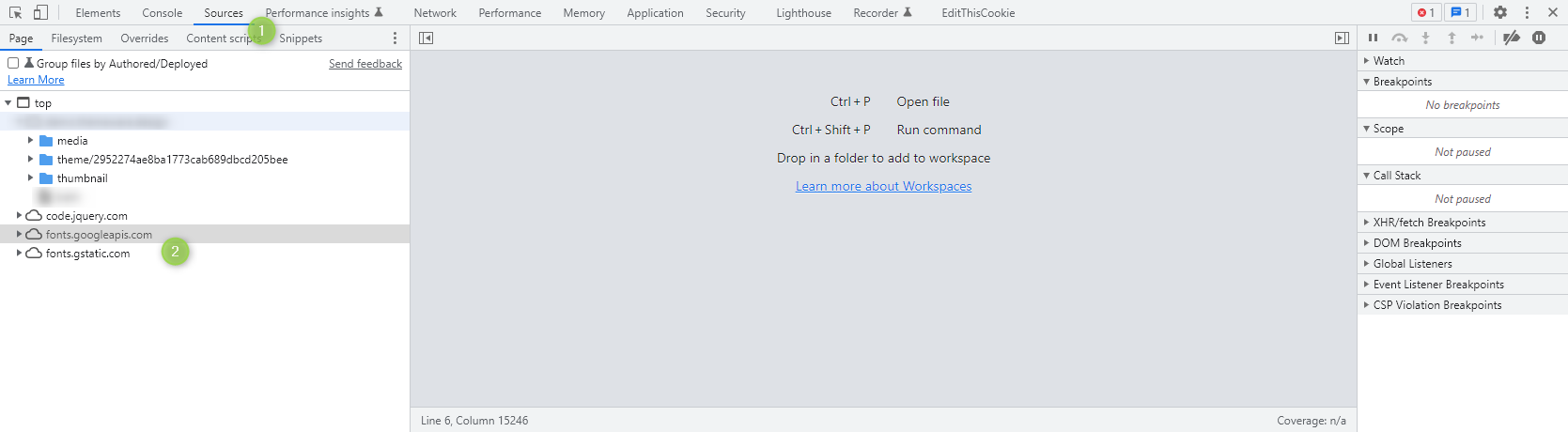
- Click on the "Sources" tab
- The left column shows the data that is currently loaded
- Firefox:
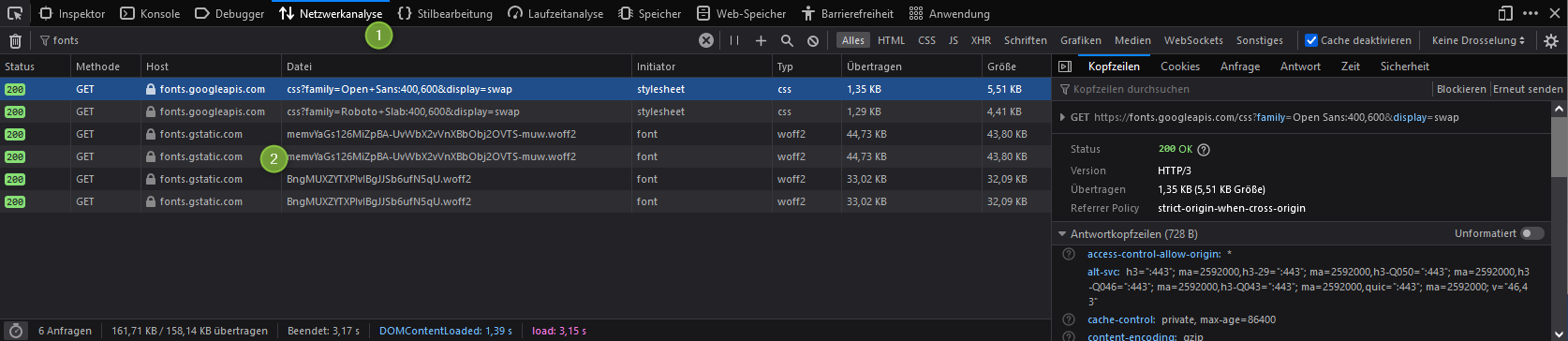
- Click on the "Network" tab
- Enter "fonts" in the input field
- The fonts that are currently loaded are then displayed
- Chrome:
- Check whether there is an entry "fonts.googleapis.com" or "fonts.gstatic.com"
Chrome (alternative method):
- Open the developer console in your browser
- Click on the "Network" tab
- Select "Font" as the filter
- Reload the website
- Click on a font and check whether the host of your shop is shown for every font
Screenshots

Further information
- Knowledge: Google Fonts
- Tutorial: Embedding fonts locally
- Tutorial: Embedding fonts locally using the ThemeWare® Customizing Plugin