
In this article you will learn more about additional CSS classes for animations in ThemeWare®.
Note: This article is aimed at professionals and experts. If you are not absolutely sure, we will be happy to support you: ThemeWare® services at a glance
ThemeWare® has different collections of CSS classes that you can activate or deactivate as required.
You will find the configuration in tab "Others" => block "Advanced settings" => section "Additional CSS classes".
In this article we explain the function of the additional "CSS classes for animations".
CSS classes for animations
You activate or deactivate this collection with the configuration "Load CSS classes for animations (optional)".
If this configuration is activated, ThemeWare® loads the following animation classes:
| CSS class |
|---|
| twt-back-in-down |
| twt-back-in-left |
| twt-back-in-right |
| twt-back-in-up |
| twt-bounce |
| twt-bounce-in |
| twt-bounce-in-down |
| twt-bounce-in-left |
| twt-bounce-in-right |
| twt-bounce-in-up |
| twt-fade-in |
| twt-fade-in-down |
| twt-fade-in-left |
| twt-fade-in-right |
| twt-fade-in-up |
| twt-flash |
| twt-flip |
| twt-flip-in-x |
| twt-flip-in-y |
| twt-head-shake |
| twt-heartbeat |
| twt-jack-in-the-box |
| twt-jello |
| twt-lightspeed-in-right |
| twt-lightspeed-in-left |
| twt-pulse |
| twt-rotate-in |
| twt-rotate-in-down-left |
| twt-rotate-in-down-right |
| twt-rotate-in-up-left |
| twt-rotate-in-up-right |
| twt-rubber-band |
| twt-shake-x |
| twt-shake-y |
| twt-swing |
| twt-tada |
| twt-wobble |
| twt-zoom-in |
| twt-zoom-in-down |
| twt-zoom-in-left |
| twt-zoom-in-right |
| twt-zoom-in-up |
Example
You can simply use the CSS classes above in the HTML editor of a CMS element to animate a specific HTML element. For the animation to run, the CSS class twt-animate is also required.
The code then looks something like this:
<h2 style="text-align: center;" class="twt-animate twt-back-in-down">Heading for a text</h2>
<hr>
<p style="text-align: center;">Lorem ipsum dolor sit amet, consetetur sadipscing elitr,
sed diam nonumy eirmod tempor invidunt ut labore et dolore magna aliquyam erat,
sed diam voluptua. At vero eos et accusam et justo duo dolores et ea rebum.
Stet clita kasd gubergren, no sea takimata sanctus est Lorem ipsum dolor sit amet.</p>
Screenshots
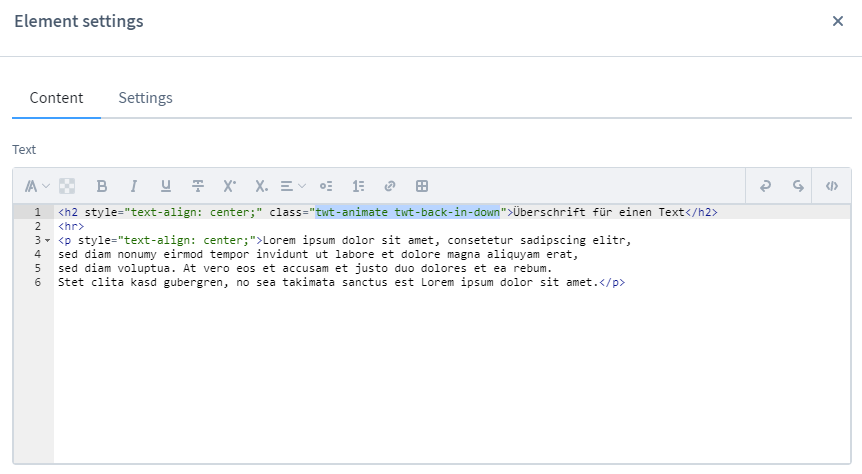
Example: CSS classes for scroll animations